
Start
For a single counter finding its feet.
$8/month
billed yearly · $15/mo billed monthly
Start free trial- 1 rental location
- 1 user account
- Up to 100 items
- Up to 100 customers
- Bookings, contracts and deposits
- Email support
Rental & hire management
Bookings, inventory, contracts, deposits, repairs and payments in one place — so your counter staff stop juggling spreadsheets and your kit stops going missing.
Free for 7 days. No card required.
Built for hire desks
Not a generic inventory tool with a booking form bolted on. Every screen was built around how a hire business really works.
See what is out, what is due back and what is free — by day, by item, by location. Overlaps are blocked before they happen.
Read more Bookings and availabilityTake a deposit, hold it, return it. Log damage against the exact unit and bill it to the contract it belongs to.
Generate the rental agreement from your own template, capture a signature and photograph condition at handover.
Faults, parts, labour and downtime tracked per item, so you know what a machine really costs you.
Read more Repair workshopScan, hand over, take back and take payment from a phone. No laptop needed on the yard.
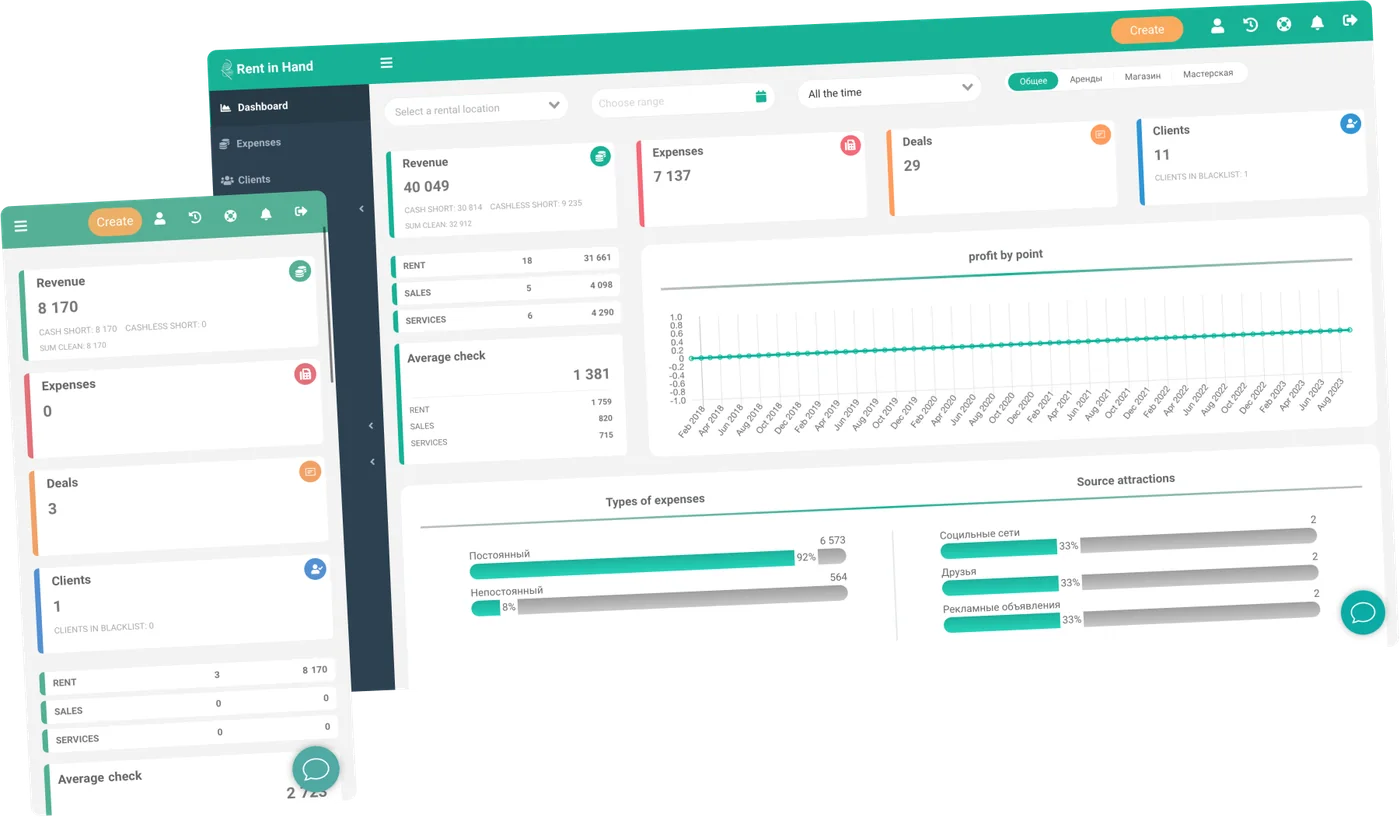
Read more Counter on mobileRevenue, outstanding balances, deposits held and expenses per location — without exporting anything.
Web dashboard
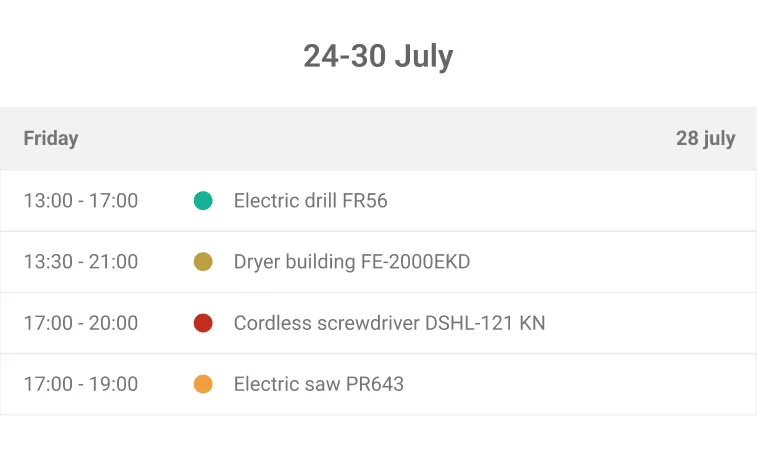
Your team works from a live calendar and a live catalogue. When something is booked, it is booked everywhere — the widget, the counter and the app all read the same availability.
Booking widget
Drop the widget into your website and take reservations and payments without a phone call. It shows the same live availability your staff see, so double bookings are impossible.
Getting started
No implementation project, no consultant, no six-week onboarding.
Import from a spreadsheet or add items by hand. Photos, serial numbers, categories and rates.
Rates by hour, day or week. Deposits, late fees, discounts and your own contract template.
Add your staff, set permissions and start taking bookings — on the desk, the phone or your website.
What it changes
Each one is a decision you are currently making on instinct.
Why people switch
It is rarely a size. It is the second person taking bookings — from then on the file is a guess, not a record.
On a spreadsheet
On Rent in Hand
Who uses it
The mechanics are the same everywhere: something goes out, something comes back, and the money has to add up. The details differ, and that is what the settings are for.
 Construction & tools Breakers, mixers, lifts, hand tools. High turnover, deposits and damage on every job.
  Bikes & sport Bikes, skis, boards, e-scooters. Seasonal peaks and a lot of short hires.
  Photo & video Expensive, fragile, serialised. Condition photos and insurance matter more than anything.
  Outdoor & camping Tents, packs, stoves. Kits that must go out complete and come back counted.
  Boats & water sports Hourly hire, weather cancellations, deposits and safety checks before every handover.
  Vans & trailers Mileage, fuel, fines and long hires with staged payments.
  AV, stage & events Big kit lists per event, delivery and collection windows, tight turnarounds.
  Baby & kids gear Cots, buggies, car seats. Long hires, cleaning between customers, delivery to hotels.
 End to end
Most tools cover a slice of this and leave you to bridge the rest by hand. Every step below happens in the same place, against the same item record.
Because it is one record from booking to invoice, the numbers on your dashboard are the operation itself — not a report someone assembled afterwards.
Pricing
No setup fees, no commission on your bookings, no charge per transaction. Pay yearly and save around 40%.
For a single counter finding its feet.
$8/month
billed yearly · $15/mo billed monthly
Start free trialFor a growing operation with a small team.
$20/month
billed yearly · $27/mo billed monthly
Start free trialFor multi-site businesses that need the lot.
$35/month
billed yearly · $54/mo billed monthly
Start free trialPrices are charged in US dollars. Your payment provider may convert the amount at checkout; VAT may apply depending on your country.
Most businesses are taking real bookings the same day. Import your kit from a spreadsheet, set your rates, and you are live. If your catalogue is large, send it over and we will load it for you.
Yes. Set a deposit per item or per order, mark it as taken or returned, and log damage against the specific unit so the cost lands on the right contract.
The mobile app covers the counter jobs: hand over, take back, scan a barcode, photograph condition, take payment. Your team does not need a laptop on the yard.
Yes. The booking widget drops into any site and shows live availability from the same catalogue your staff use, so you cannot double-book an item.
It stays yours. Export customers, orders and inventory at any time, and the REST API is open on Business and Pro plans.
Seven days, full access, no card. Load a handful of items and run a real booking through it — that tells you more than any demo.
Free for 7 days. No card required.